



What's in My Work Bag?
A work bag that earns its place holds eleven things: a laptop and its charger, a power bank, headphones, a cable pouch, a notebook and pen, cards, keys, a water bottle, something to eat, and a layer. Everything else is optional. The difference between a bag that works and one that annoys you is not what is in it — it is whether each item has a fixed place.
Below: the full checklist, what goes in which compartment, and what to take out.

The Checklist
| Item | What to look for | Where it lives |
|---|---|---|
| Laptop | 13–16 inch; check your bag's stated sleeve size, not its outside dimensions | Padded rear compartment |
| Laptop sleeve | Optional if the bag is padded; essential if you also put the laptop in a weekender | Around the laptop |
| Charger | The travel-size one, not the one that came in the box | Cable pouch |
| Power bank | 10,000 mAh covers roughly two phone charges and stays within cabin rules | Cable pouch |
| Headphones | Over-ear for focus, in-ear if space is the constraint | Front quick-access pocket |
| Cable pouch | One pouch, everything in it. This is the single highest-impact item on the list | Main compartment |
| Notebook and pen | A5 fits most briefcases; A4 needs a full-size bag | Document slot |
| Cards and ID | Card slots or a slim holder — not loose in the main compartment | Interior card slots |
| Keys | Clipped, not loose. Loose keys scratch a laptop lid through a sleeve | Interior zip pocket |
| Water bottle | 500 ml; check the bag has a side pocket or a lined interior | Side pocket |
| Snack | Something that survives being sat on | Front pocket |
Start With the Bag
Everything above assumes the bag has somewhere to put it. Three that do, depending on how you work:


If you commute — Motion Business Backpack, $219
Fifteen litres of water-resistant nylon with a clamshell opening, which means the bag lies flat and you see everything at once instead of digging. It takes a 16-inch laptop, has an anti-theft pocket for a phone and wallet, and carries a trolley sleeve for travel days.
If you carry less — Motion Light Briefcase, $169
Ten litres, 0.91 kg empty, waterproof nylon, trolley sleeve, 16-inch laptop. The lightest option here, and enough for the checklist minus the water bottle and the layer.
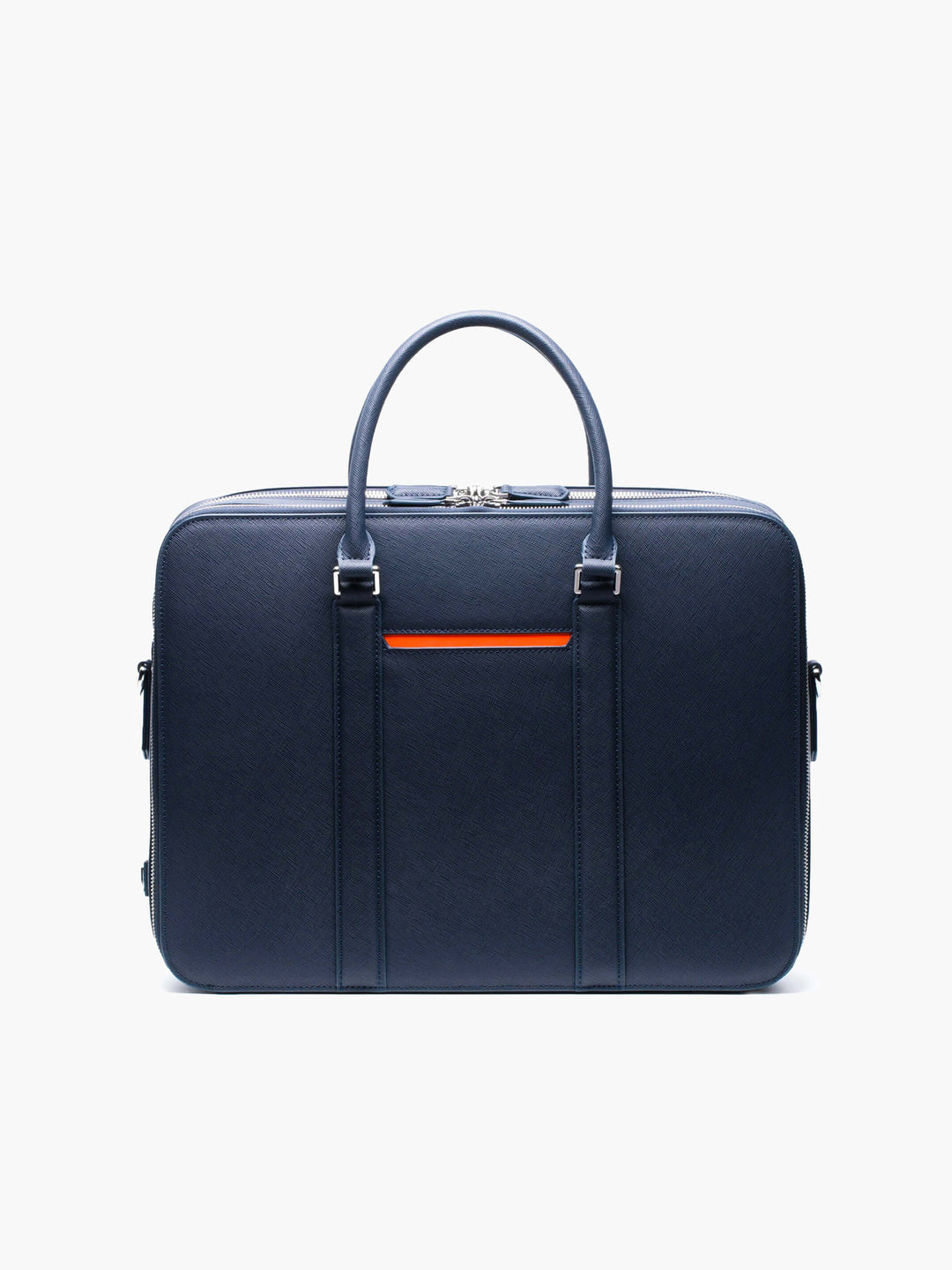
If the office is formal — Manhattan Leather Briefcase, $329
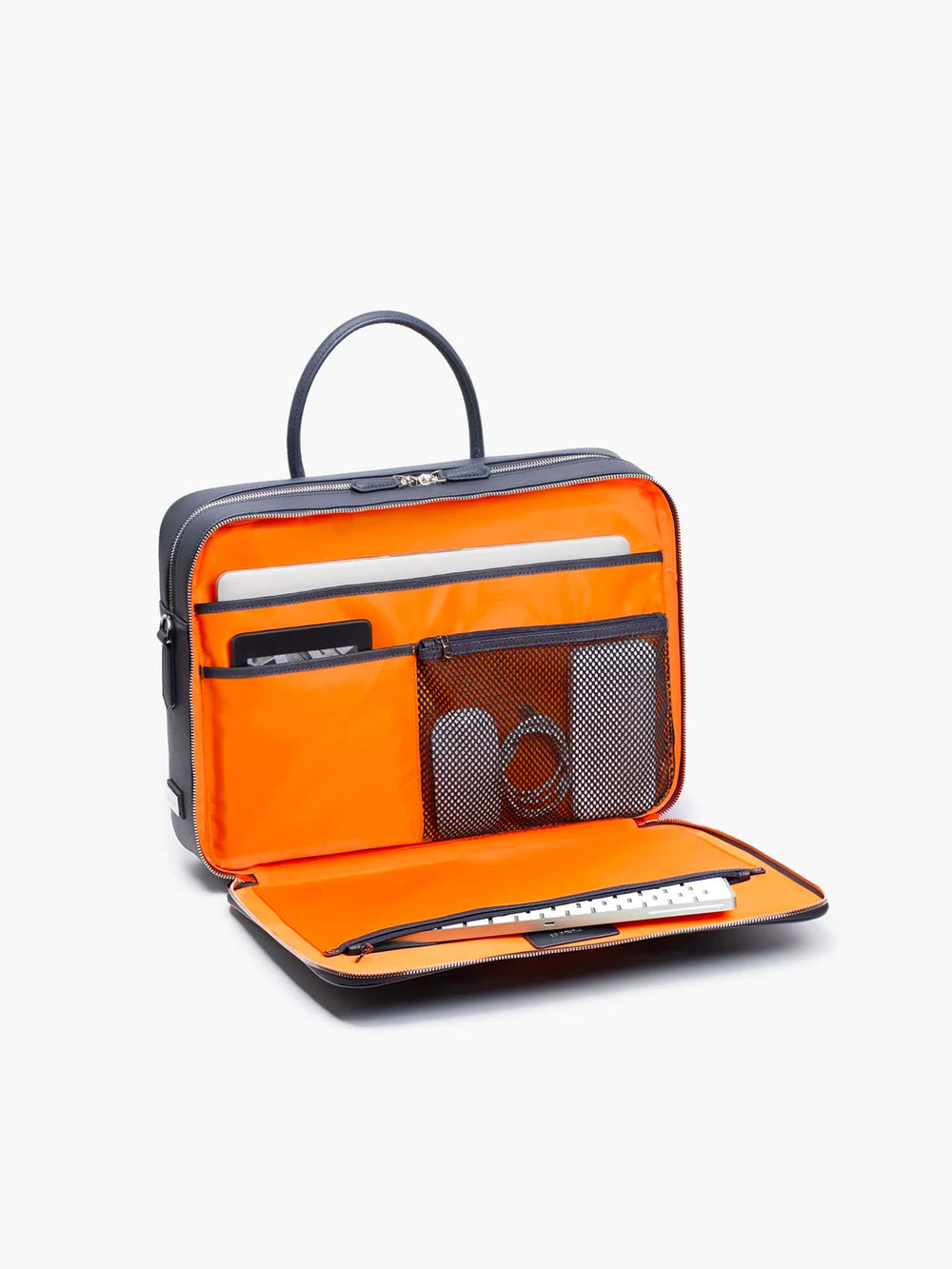
Eight litres of Saffiano leather with dedicated slots for pens, cards and documents, and a detachable shoulder strap. The tightest capacity of the three, which means the checklist has to be edited down — but it is the one that works in a boardroom.
Not sure which format suits you? Backpack vs Briefcase for Work covers the comparison, and What Makes a Good Work Bag? covers the criteria.
The Cable Pouch Is the Whole Trick

Most people's bags are fine except for one thing: chargers, adapters and cables living loose in the main compartment. They tangle, they migrate to the bottom, and finding one means emptying the bag.
One pouch fixes it permanently. The Nexus Tech Organizer at $79 holds a laptop charger, a phone cable, a power bank and adapters in stretch loops, in a slim waterproof case that fits inside any of the bags above. If you only change one thing on this list, change this one.
If your laptop travels in a bag that is not padded — a duffel, a weekender, a tote — add a sleeve. The ProActive Waterproof Laptop Sleeve is $49 for 14 inch and $55 for 16 inch. The Vista Waterproof Laptop Sleeve at $89 does the same job and adds slots for cables, pens, passport and four cards, plus a back handle for carrying it on its own between meetings.
What Goes Where
The layout matters more than the list. Four zones, and nothing crosses between them:
- Rear padded compartment — laptop only. Nothing else goes in here, ever. A charger or a set of keys sharing that space is how screens get marked.
- Main compartment — the pouch, the notebook, the layer. Bulky, infrequently accessed.
- Front quick-access pocket — headphones, phone, transit card, snack. Everything you reach for standing up.
- Interior slots and zip pocket — cards, keys, anything small enough to disappear.
The test is simple: can you take out the fourth thing without moving the first three? If not, the layout is wrong, not the bag.
What to Take Out


Work bags gain weight quietly. The usual passengers:
- The second charger. Everyone ends up with two. Keep one at the desk.
- Paper you have already dealt with. Photograph it or file it; do not carry it for another three weeks.
- Cables for devices you no longer own. Check the pouch once a quarter.
- The "just in case" layer in July.
Empty the bag completely once a week — Friday evening or Sunday night. It takes two minutes, and it is the only maintenance a work bag needs. An overloaded bag also stretches its seams permanently, which is the most common way a good bag is ruined before its time.
Frequently Asked Questions
What should I keep in my work bag every day?
Eleven things cover almost every professional: laptop, charger, power bank, headphones, a cable pouch, notebook and pen, cards and ID, keys, water, a snack, and a layer. Add a laptop sleeve if the bag itself is not padded. Anything beyond that list should earn its place week by week rather than live there permanently.
How do I keep my work bag organised?
Give every item a fixed zone and never let them cross: laptop in the padded rear compartment alone, bulky items in the main compartment, anything you reach for standing up in the front pocket, and small items in interior slots. Put all cables and chargers in a single pouch. Then empty the bag completely once a week.
What tech should I carry for work?
A laptop, a travel-size charger, a 10,000 mAh power bank — roughly two phone charges, and within cabin-baggage rules — headphones, and one organiser holding every cable and adapter. The organiser is the part most people skip and the part that saves the most time.
How big should a work bag be?
Around 8 litres carries a laptop and documents. Ten to 15 litres adds a water bottle, a layer and lunch. Twenty litres and above covers a work-to-gym day. Size it to your heaviest normal day rather than your busiest possible one — buying a size up "just in case" usually means carrying air.
Should I use a laptop sleeve inside my bag?
Only if the bag has no padded compartment of its own — a duffel, a tote, or a weekender. If the bag already has a padded, suspended laptop section, a sleeve adds bulk without adding protection. Where a sleeve does earn its place is as a standalone carry: a padded sleeve with card slots and a handle lets you leave the bag at your desk and take just the laptop into a meeting.
Pack It Once, Properly
The checklist is short and the layout does the work. Get the pouch, give the laptop its own compartment, and reset the bag on Fridays.
If your current bag cannot support that, it is the bag that needs changing — start with the Motion Business Backpack for commuting, or browse the full work range.